From chatbot to co-worker: building an HR assistant that takes actions safely
AIVCJ HR doesn't just answer leave questions — it applies leave, routes approvals and drafts HR letters. Here is how we let an AI act without letting it make the rules: a policy engine in code, a confirmation card before every action, role permissions and an audit log. Measured on a scripted and a blind test set.
Ask any HR team where their week goes and you hear the same list: “How many leaves do I have?”, leave forms on WhatsApp, chasing managers for approvals, and “Can you send me an experience letter?”. A policy chatbot helps with the first one. It does nothing for the rest — and the rest is where the hours go.
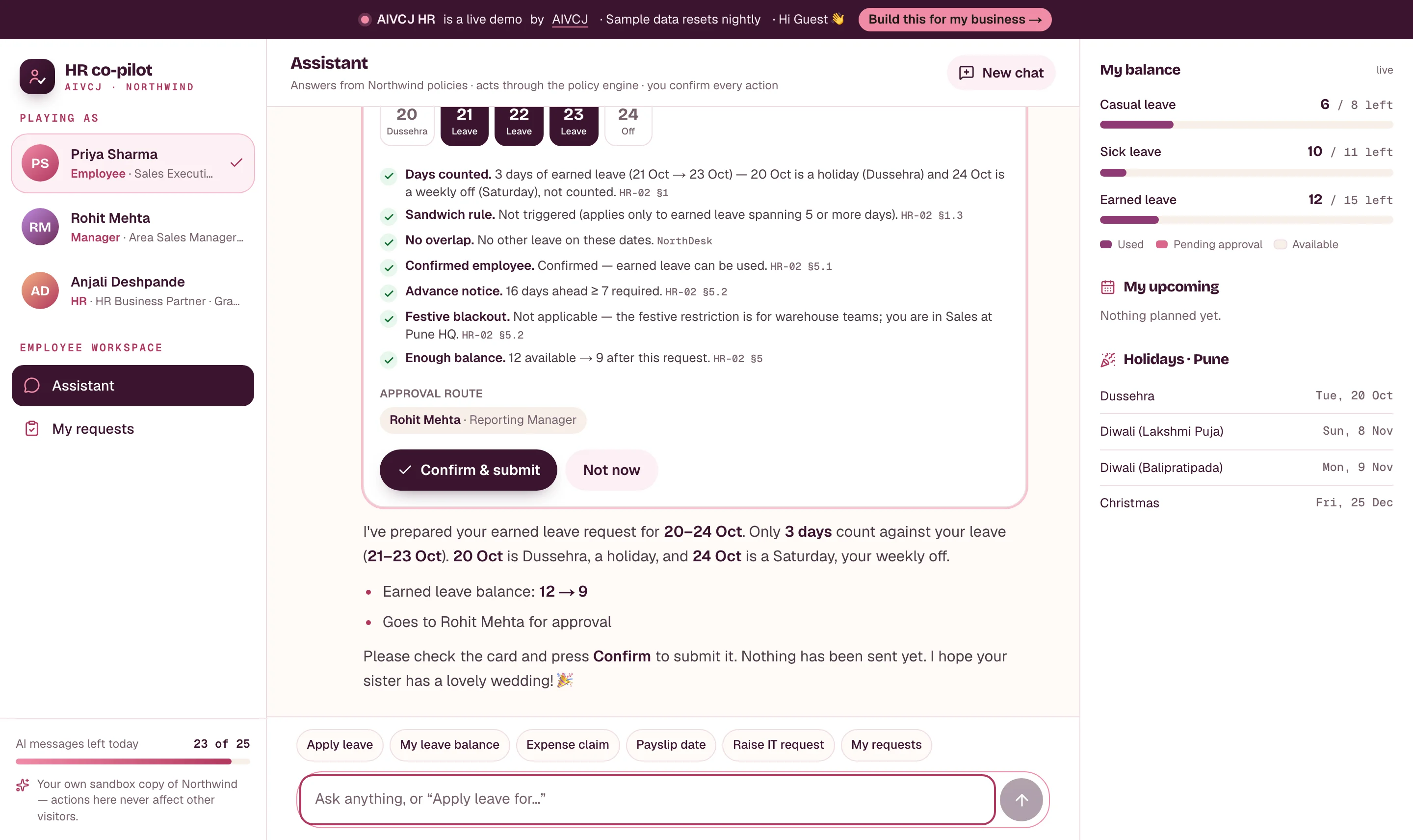
We built AIVCJ HR to show the next step: an assistant that answers and acts. It checks your balance, applies leave within the rules, routes it to your manager with a summary, and drafts HR letters — inside a sample company, Northwind Distribution, with 42 employees across a head office and three warehouses.
Why answers alone don't reduce HR load
Our Knowledge demo answers policy questions with citations. That removes the “what does the policy say?” question. But the employee still has to open a form, count working days, check the notice period, find the approver and wait. The work moved; it didn't disappear.
Letting an AI do the work raises a fair worry: what stops it from approving its own mistakes, bending a rule to be helpful, or showing one employee another's data? So we designed the guard-rails first.
The guard-rails
- The rules live in code, not in the model. A deterministic policy engine decides how many days a request counts (weekly offs and holidays per location, the sandwich rule for earned leave), whether the notice period is met, whether the employee is still on probation, whether the balance covers it, and who must approve. The AI calls the engine and explains the result — it cannot overrule it.
- Nothing happens without a click. Every write — applying leave, cancelling a request, raising an IT or asset request — is shown as a confirmation card with the counted days, every check that passed or failed, the balance before and after, and the approval route. The request is created only when the person presses Confirm, and the engine re-checks it at that moment.
- Role permissions are enforced by the tools. An employee sees only their own data; a manager sees their direct reports; only HR can draft letters for others. Approving is never done by the AI — managers decide on the Approvals screen.
- Everything is audited. Every tool call — who, which role, what the AI asked for, and whether it ran, was refused by the rules, or was confirmed by a human — lands in an audit log on the HR dashboard.
What you can try in the demo
- As Priya (employee): “I need leave from 20 to 24 Oct for my sister's wedding.” The engine notices that 20 Oct is a holiday and 24 Oct a weekly off, counts 3 days, explains why marriage leave doesn't apply to a sibling's wedding, and shows the card.
- As Rohit (manager): the request is waiting with an AI summary — within policy, Sneha is out on 21–22 Oct, earned leave 12 → 9. Approve it, and Priya's balance and request timeline update live.
- As Anjali (HR): “Experience letter for Karan Verma” — drafted from his record, edited in the browser, downloaded as a PDF. Anything the record doesn't contain is left as a placeholder rather than invented.
- Policy questions (“Can I claim my Uber to a client meeting?”) use the same cited retrieval engine as AIVCJ Knowledge.
Every visitor gets their own copy of the company, so nobody's approvals collide with anyone else's, and it resets every night.
Measured — including where it slipped
We test the assistant end to end — same model, tools, engine and permissions as the live demo — on two sets of requests, each in a fresh copy of the company. A case passes only if the assistant ends with exactly the right action (or correctly takes none), and, where a reference answer exists, an AI judge agrees with the reply.
- Scripted set (30 requests), written with the app and used while tuning, including 12 that break a rule or a permission: 30 of 30 correct on the final run, with all 12 violations refused (earlier runs while tuning: 29 of 30).
- Blind set (20 requests), written afterwards by a different author who never saw our prompts or code — Hinglish, typos, vague dates (“parso se 3 din”), two asks in one message: 17 of 20 (85%) in both runs.
The most useful results were the failures. In one early run an employee asked for an experience letter and the assistant, trying to help, wrote one in the chat — exactly the kind of document only HR should issue. In another it asked “shall I file this?” instead of running a 4-day casual-leave request through the engine, so it never said the limit is 3 days. Both became explicit rules. The blind set found three more. An employee asked for five days of casual leave: the engine refused it correctly (the limit is three), but the assistant then prepared an earned-leave card on its own instead of asking first — nothing was submitted without a click, but it shouldn’t have switched the leave type. A manager asked for “neha”’s balance and the name search also matched “Sneha”, so it asked a needless question. The third was a correct refusal that the AI judge marked down for leaving out an extra detail. We fixed the first two; because those fixes came from the blind set, we don’t count re-runs after them as blind.
Two caveats we'd rather state than hide: the judging is done by an AI (the same model family as the assistant) and is not human-verified, and a test set of 50 requests is small. Treat the numbers as indicative. What the guard-rails guarantee is structural: whatever the model says, a request that breaks a rule cannot be submitted, because the engine — not the model — decides.
Deploying on your HRMS
The demo runs on the stack we deploy for clients: Next.js, PostgreSQL with pgvector, and Claude. In a real rollout the policy engine is configured from your leave policy, the tools talk to your HRMS (Keka, Darwinbox, Zoho People or your own), and the same assistant can sit on WhatsApp. A typical engagement starts with leave and letters for one location, measured on fifty real employee requests, before expanding.
- #AI agents
- #HR tech
- #Case study
- #Claude
- #Evaluation
Frequently asked questions
01Can the AI approve or submit anything on its own?
02What if the AI misunderstands a leave rule?
03Does it work with our HRMS?
Keep reading
 ERP & Operations
6 min read
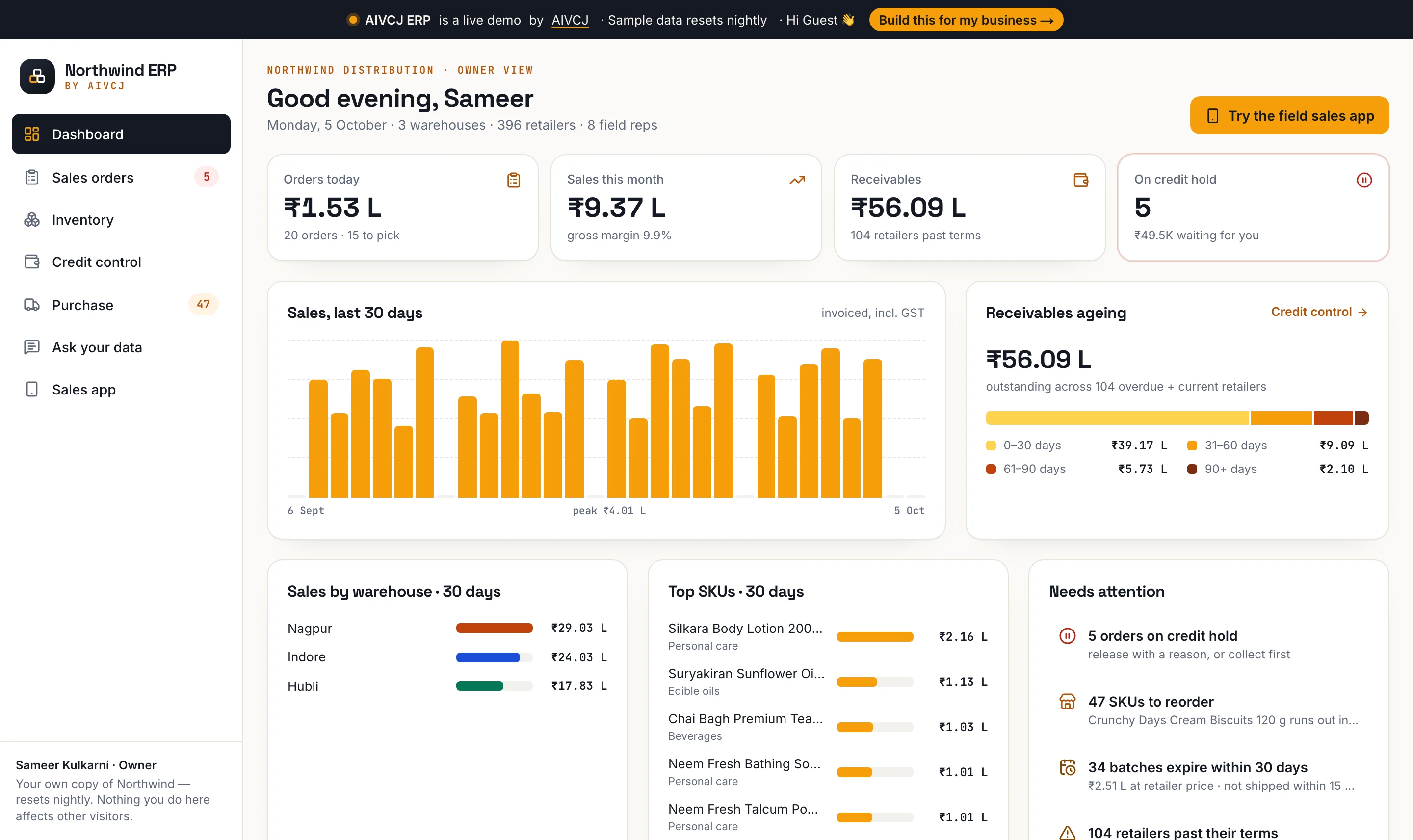
From WhatsApp photos to a live order book: an ERP and offline field app for distributors
AIVCJ ERP replaces the Tally + Excel + WhatsApp loop: a field app that takes orders without signal and never syncs twice, credit holds decided in code, FEFO picking with GST invoices, and plain-English questions answered by a read-only query you can see. Measured with a two-phone sync test and a blind NL-to-SQL set.
Read more2 min read
What is RAG — and when does your business actually need it?
Retrieval-augmented generation lets AI answer from your own documents instead of guessing. Here is how it works, where it shines, and the signs you are ready for it.
Read more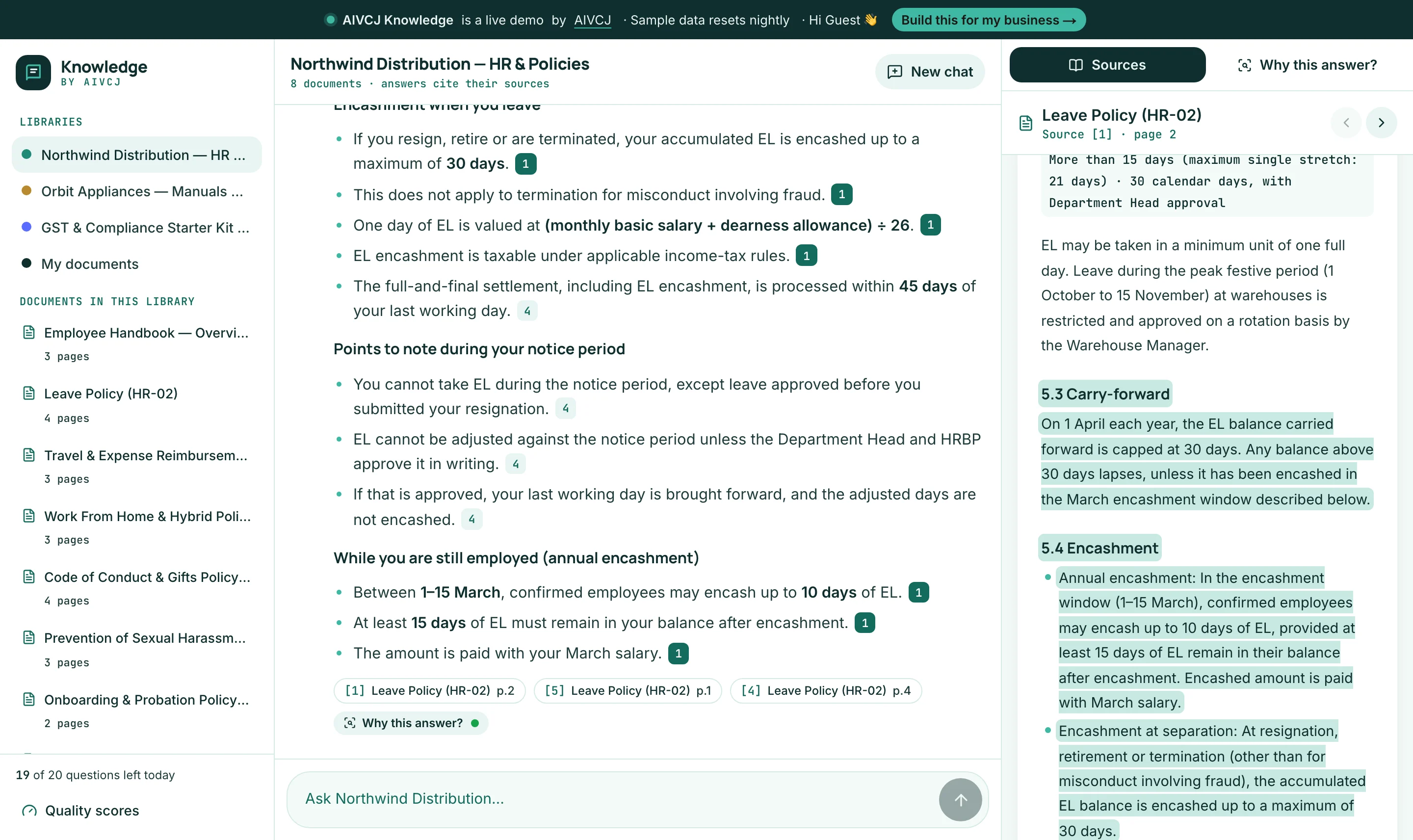 AI & RAG
4 min read
Why most company chatbots hallucinate — and how we built one that cites its sources
A behind-the-scenes look at AIVCJ Knowledge: hybrid retrieval, query planning, a grounding check on every answer, and two public test sets — including a blind one written the way real people type. Try it live on sample HR, product and GST documents, or your own PDF.
Read more